Automation Modes
Entity & Santa Collector Guide
Set up an entity collective key, finder instances and collector instances to find and collect Santas and other entities.
On this page
Please follow this guide!
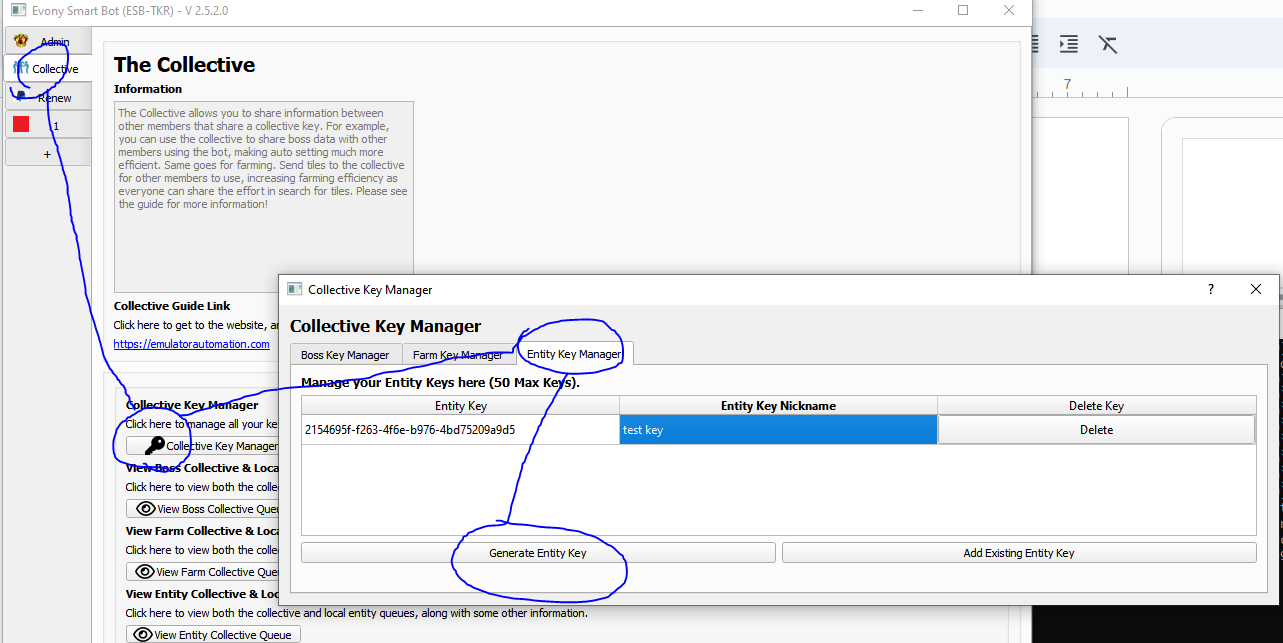
Step 1: Set up Collective Key
- Go to Collective Tab
- Click on Key Manager
- Click on Entity Key Manager Tab
- Click “Generate Entity Key”
Step 2: Set up Finders for finding Santas
Go to Profile Tab
- Make sure to select the entity key you generated.
- If a key is not preset, press “Refresh” to make the keys appear and select the appropriate key
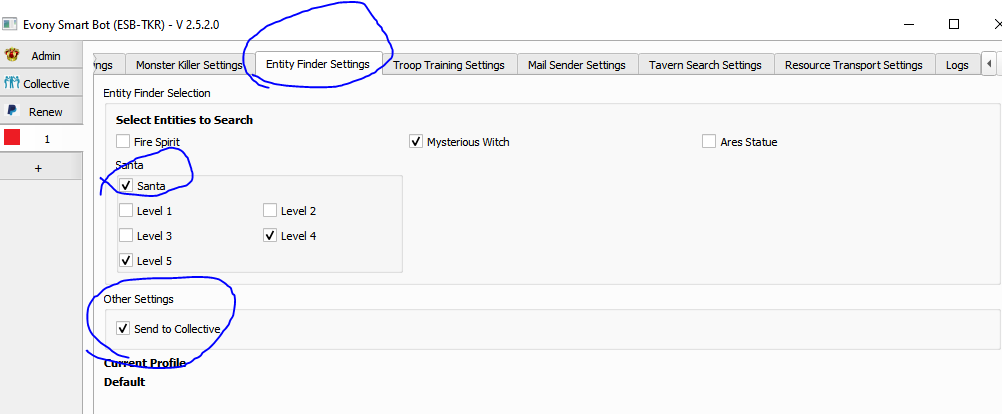
Go to Entity Search Settings
- Select Santas or other Entities you want to search with their respective levels
- Select “Send to Collective”
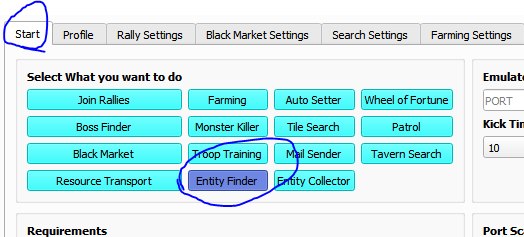
- Make sure to select “Entity Finder” in start tab
- Make sure to have separate instances finding only, or farming + finding, do not use the same instance to find and collect.
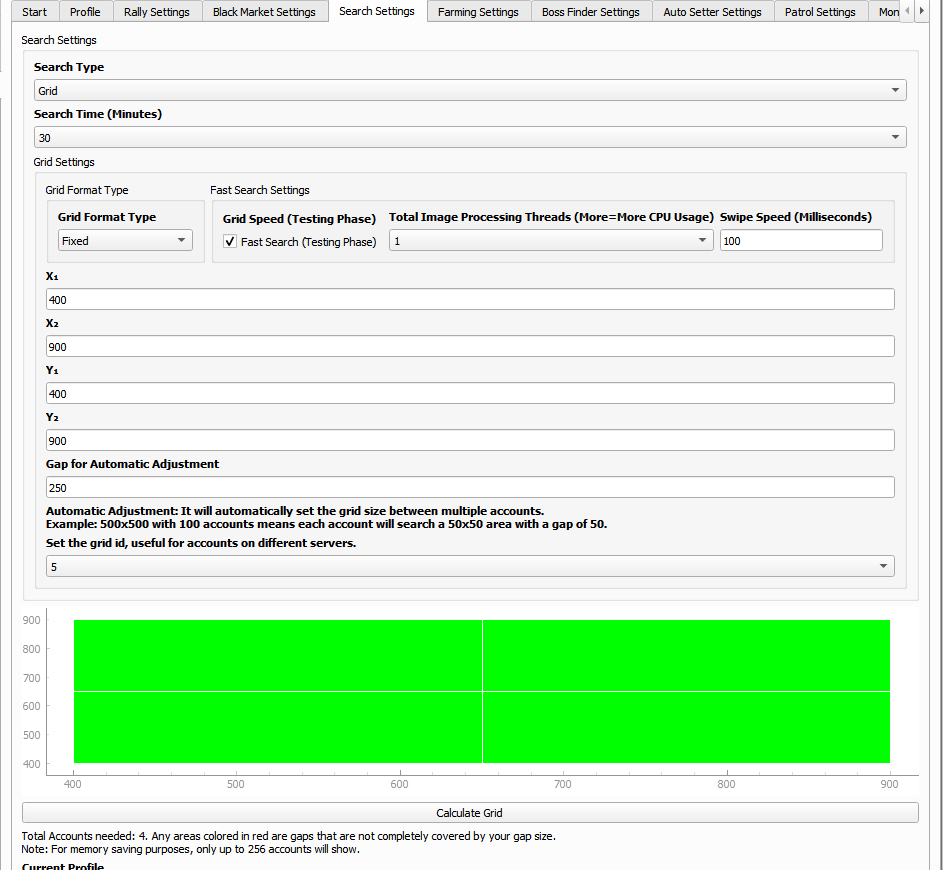
- Go to “Search Settings”
To make use of fast searching, follow these settings:
If you want more information on this page, see this guide:
Step 3: Set up Collectors for collecting Santas
Go to Profile Tab
- Make sure to select the entity key you generated.
- If a key is not preset, press “Refresh” to make the keys appear and select the appropriate key
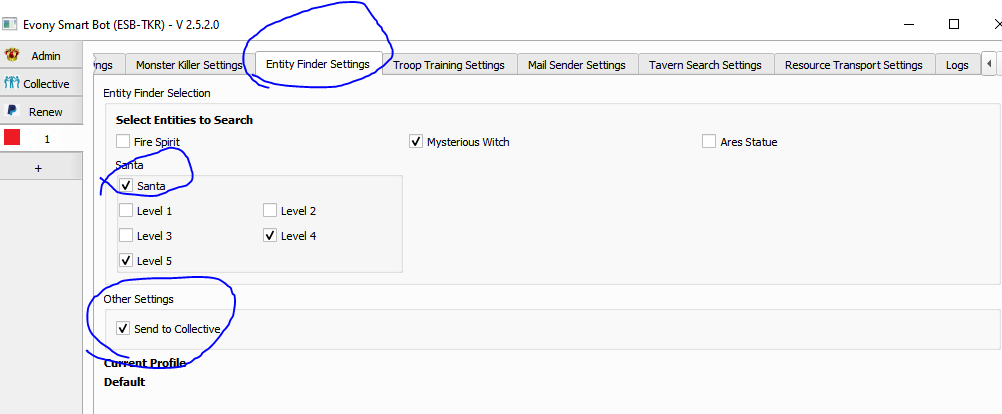
Go to Entity Search Settings
- Select Santas or other Entities you want to search with their respective levels
- Select “Send to Collective”
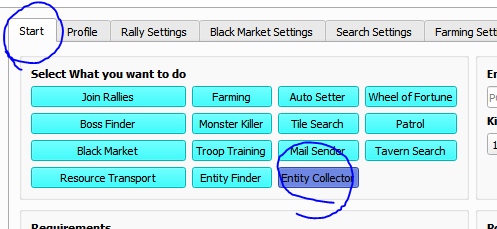
- Make sure “Entity Collector” is selected in start tab