







Automation Modes
Black Market Guide
Black Market mode refreshes the market and buys the items you select with the currency you choose.
On this page
How to Use
Follow the steps below to understand and take advantage of this mode.
Mode:
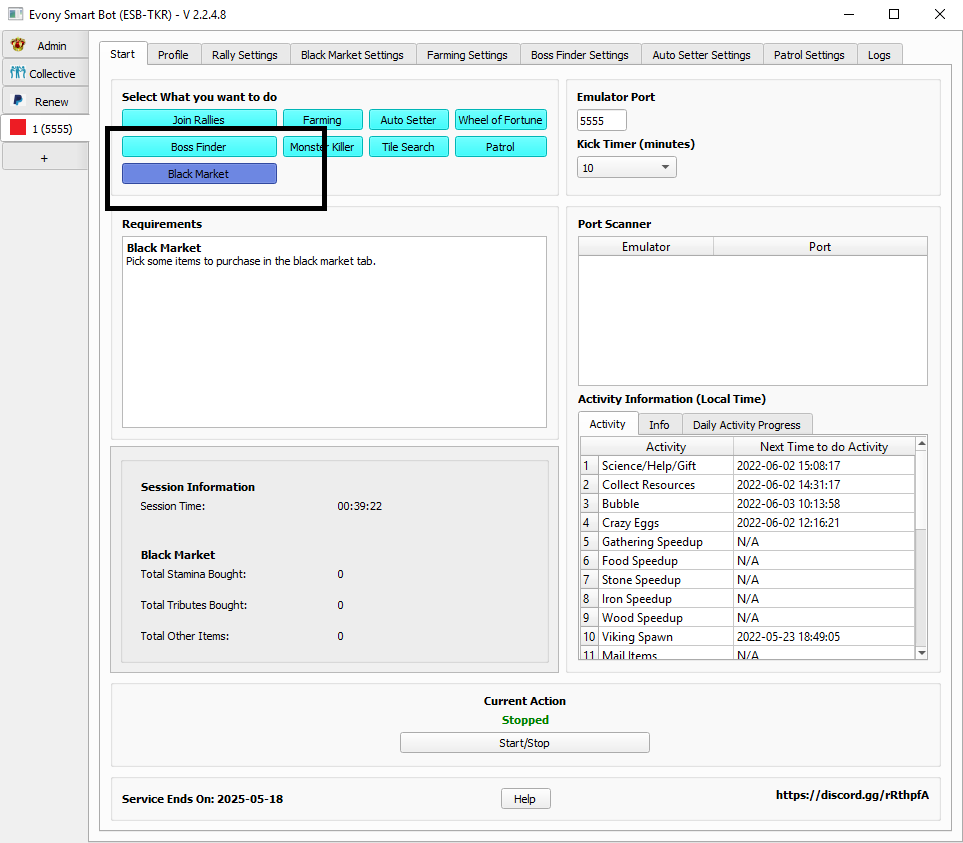
- Make sure you select the Black Market mode.
Black Market Settings:
- You need to select some settings for the black market which will allow you to decide which items to buy.
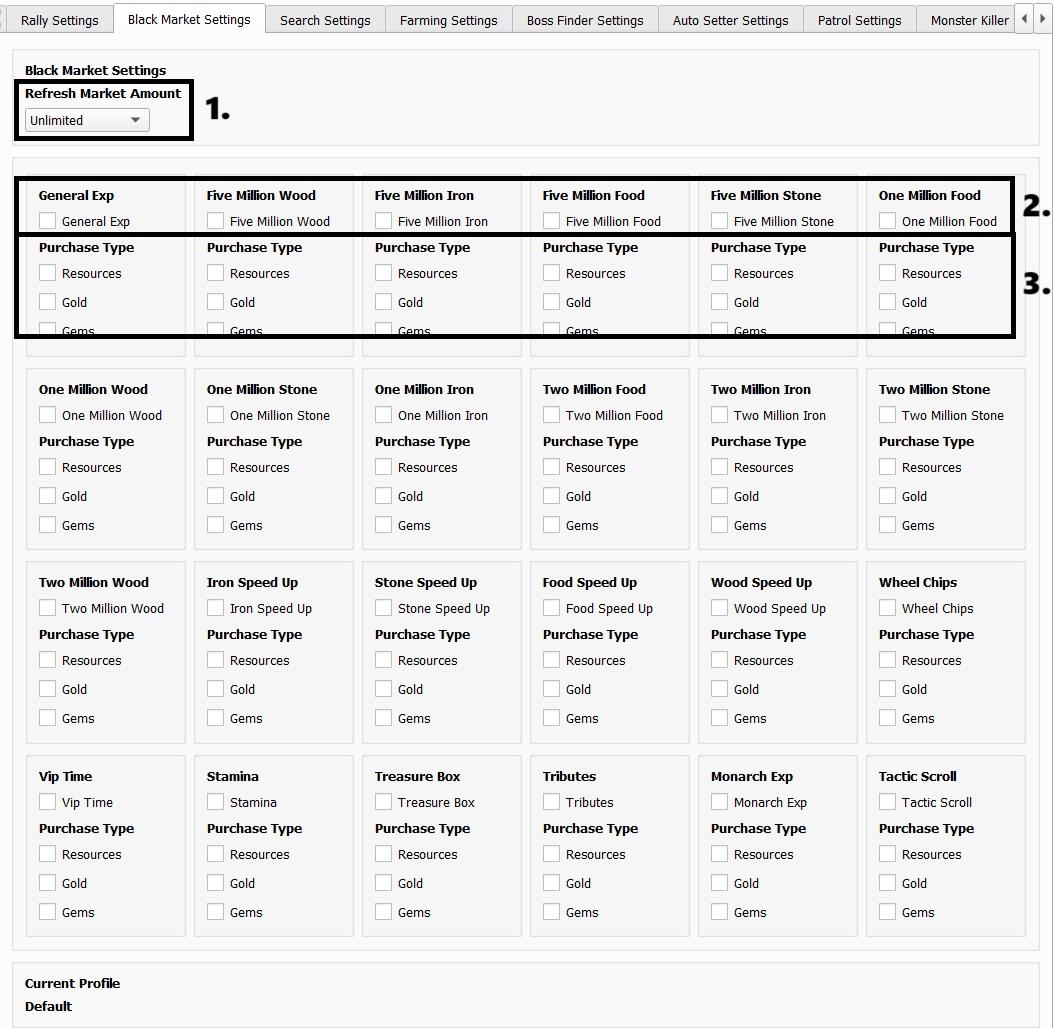
- Refresh Market Amount:
- The amount of times you wish the black market to refresh and search for items.
- Items you want to purchase:
- Select the items you wish to purchase here.
- Purchase Type:
- You can now specifically pick which currency you want to use to purchase items in the Black Market (Gems, Gold, Resources).
Note
The bot will locate the Black Market for you. However, it’s advised to have Black Market menu open on your game screen before starting the bot.