







The Collective
Collective Guide for Farming
Share level 16 tiles between accounts with a farm collective key and manage the farm collective queue.
On this page
How to Use
Follow the steps below to understand and take advantage of the collective
- Go to the collective tab.
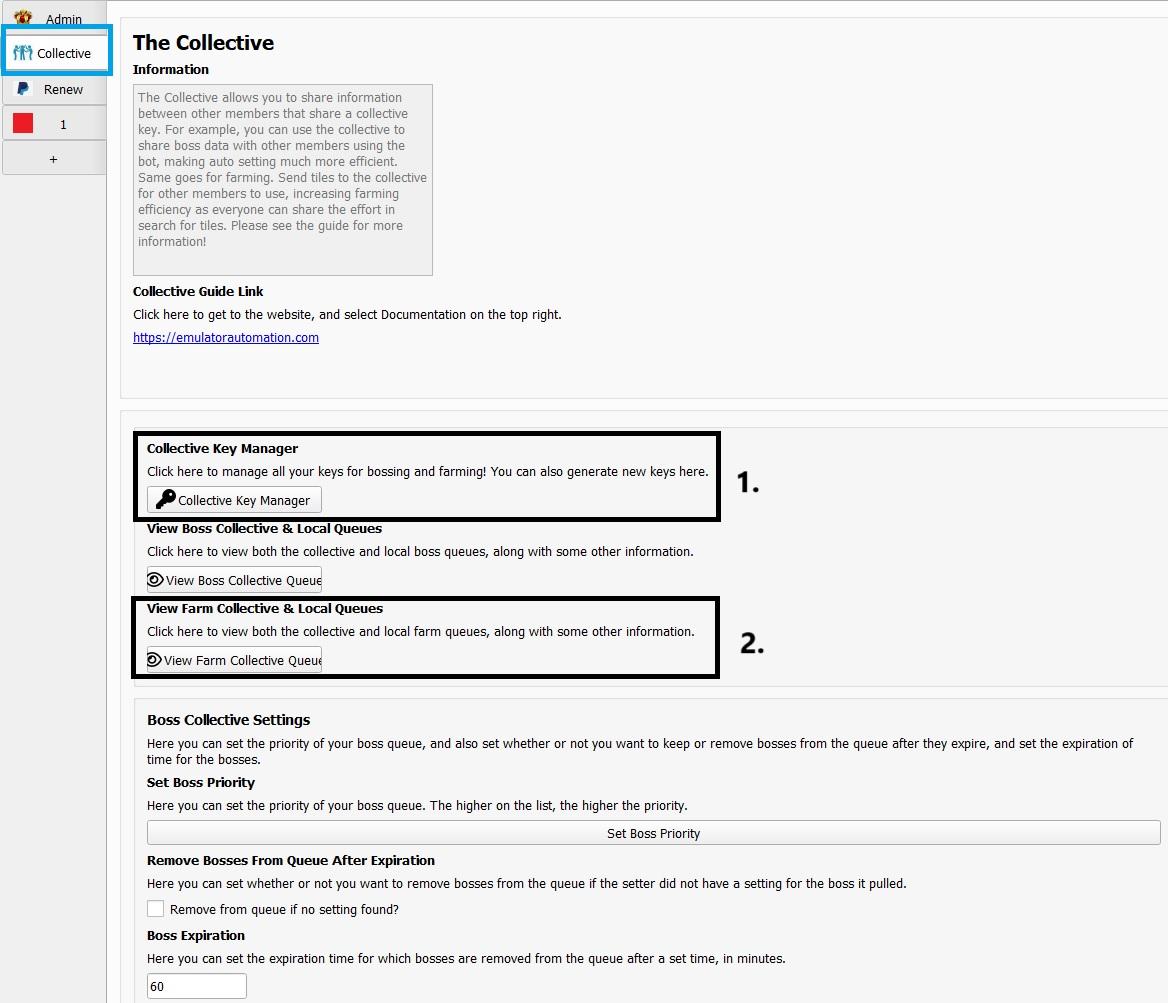
1. Farm Collective Key Manager
- where you can manage multiple keys. Useful for users who want to use collective on multiple servers which require multiple keys.
- Enter in a key that someone gave to you OR generate your own.
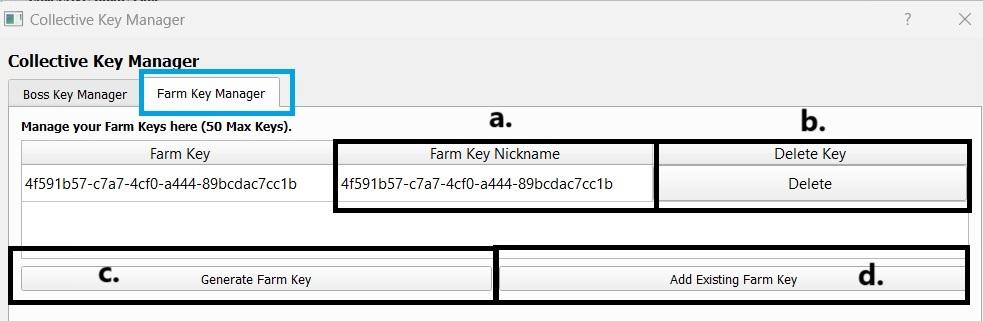
- Farm Key Nickname
- You can add nicknames to the keys to make it easier for you to identify the purpose of each key.
- Delete Key
- You can delete any keys any time.
- Generate Farm Key
- You can generate a new collective key from here.
- Add Existing Farm Key
- To use the same pool of tiles shared from another user, enter in their collective key.
- Any user who enters the same key as you will have their tiles shared to your collective. You both can then pull those tiles using farming mode. This helps increase efficiency as other people you know can help you spot level 16 tiles!
Warning
Make sure you have picked the right collective key for each tab in the profile tab.
2. Farm Collective Queue
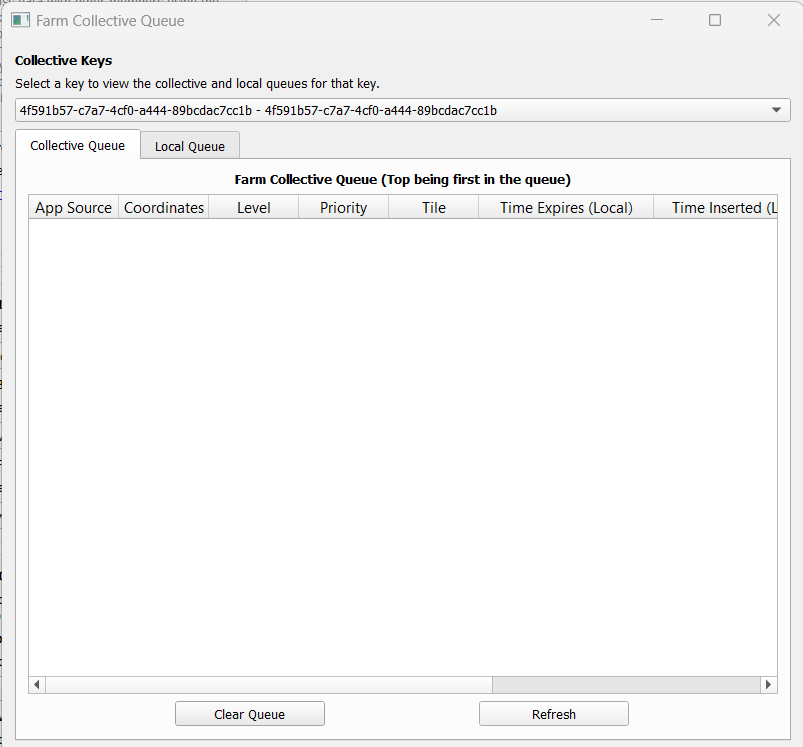
- Select a specific key then you can view what tiles are in them.
- Farm Collective Queue
- Shows a list of tiles found.
- Local Farm Queue
- These are tiles stored on your local esb application and are the ones up to be farmed next.
- Source of Tiles Found:
- App Source - Map, Alliance Chat, or Whisper are some of the values you would see so you can identify where it came from.
- User Source - You can identify on bot username who sent the data.
- Fast
- True: Entity was found using Fast Search.
- False: Entity was found using Normal Search.
Note
Make sure to enable “send to collective” in farming mode!
Remember, the collective is a team effort! The point is to have other people helping contribute - or if you use the bot on multiple machines, so that they can communicate with each other!