







Automation Modes
Sub City Attack Guide
Sub City Attack mode attacks a sub-city at the coordinates you set with the preset you choose, for a set number of attacks.
On this page
How to Use
Follow the steps below to understand and take advantage of this mode.
Mode:
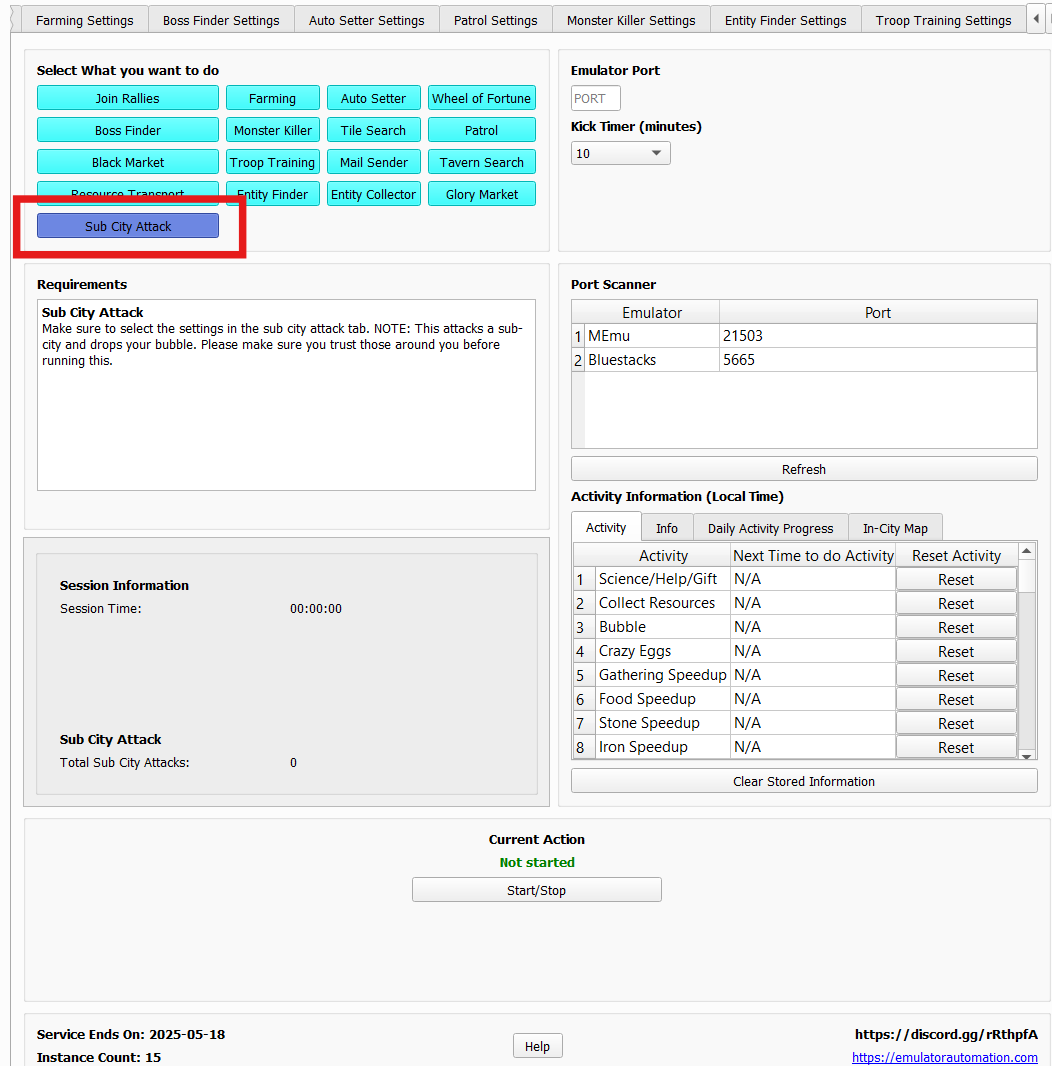
- Make sure to select the “Sub City Attack” Mode as labeled in the photo below.
Sub City Attack Settings:
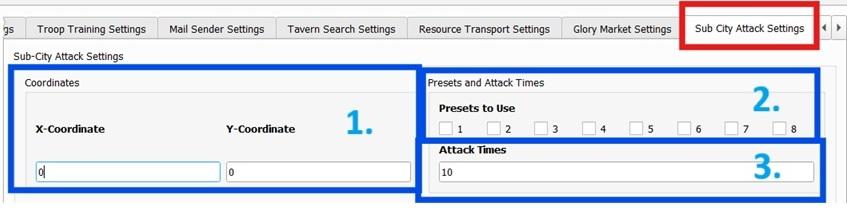
- You must go to the Sub City Attack Settings tab to adjust the settings.
- Sub-City Coordinates:
- Select the coordinates of the sub-city to target for attacks.
- You should probably teleport next to one to attack faster.
- Preset to Use:
- Choose the preset you wish to use for attacking a sub-city.
- Number of Attacks:
- Set the number of times the attack will occur.
Note
Please make sure you trust those around you as this drops your bubble!