







Getting Started
Switching to Classic Theme
Switch the bot between the main New UI look and the Classic theme, and choose the dark or light color scheme.

Go to the Profile Management tab and select 'Classic'.
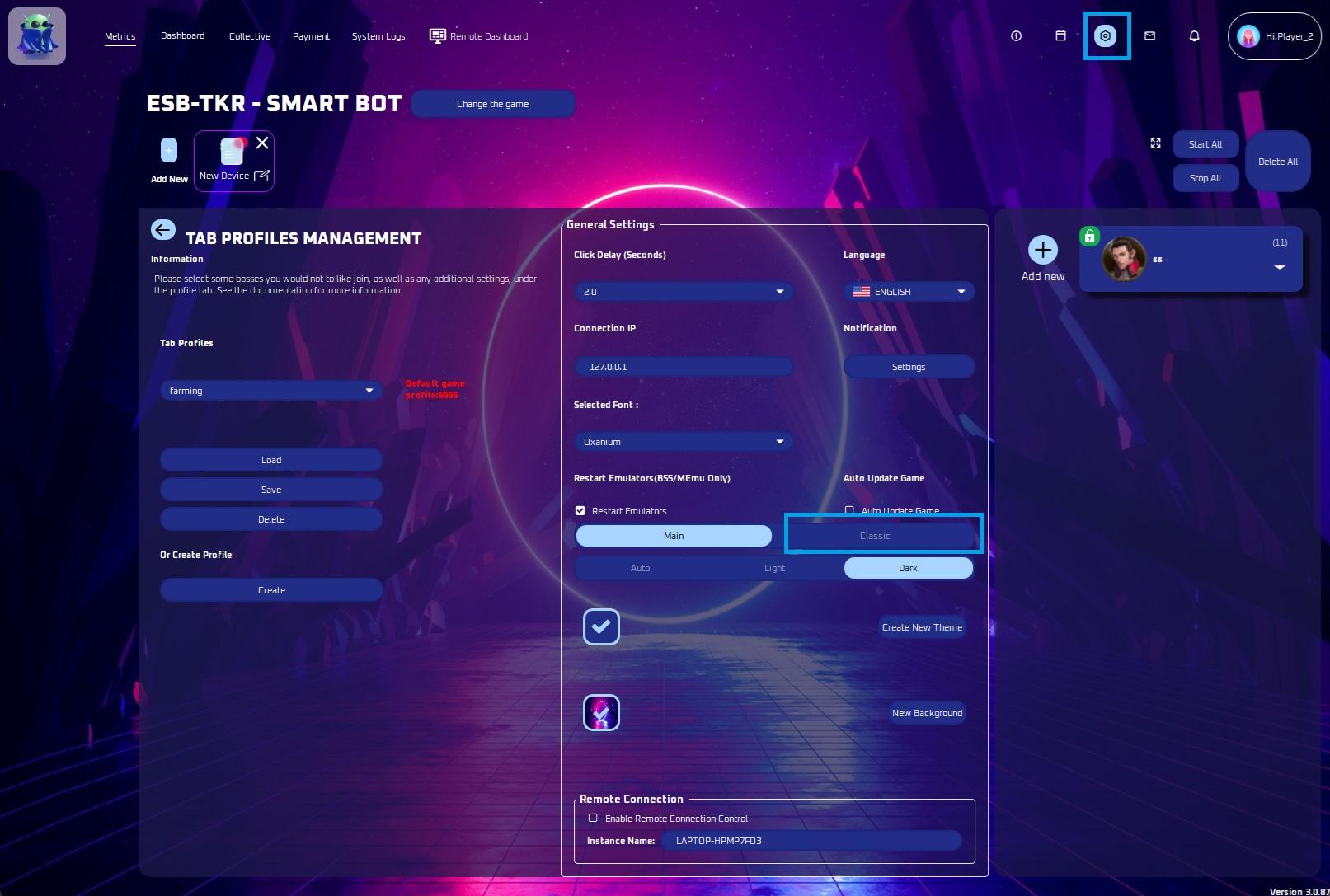
The bot will request a restart. Please click OK when prompted.
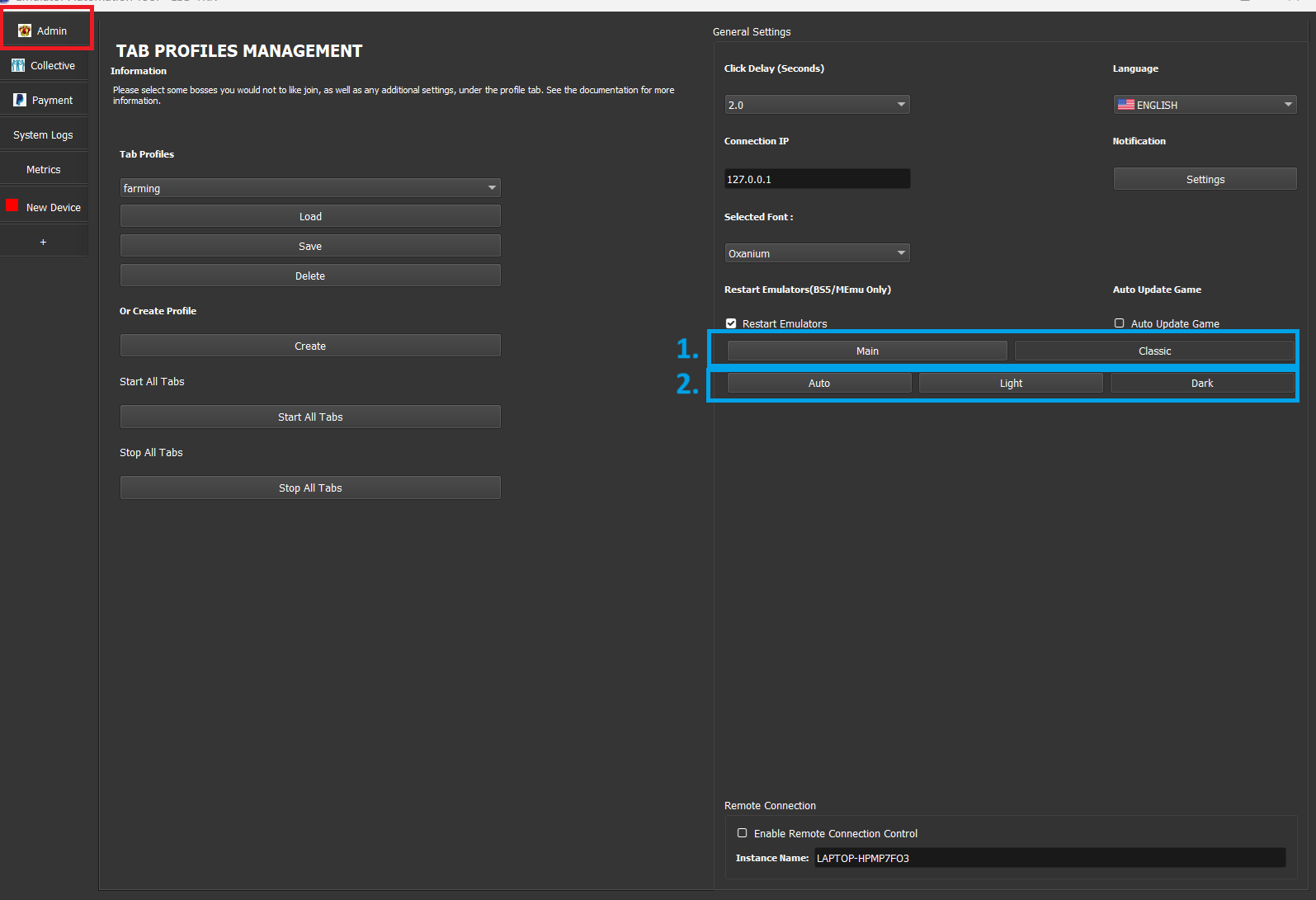
Once you're on the classic theme, you can switch back to the main look by going to the Admin tab and clicking the 'Main' button.
You can change the theme in the Admin tab to be the dark or light (original) color scheme.