

Automation Modes
Patrol Guide
Run Patrol automatically by selecting the mode and the items to purchase; since Patrol now has a daily limit it is part of daily activities.
On this page
Important
Since the new Patrol has a daily limit, it is now part of daily activities.

How To Use
Follow the steps below to understand and take advantage of this mode.
Mode:
- Make sure you select Patrol.
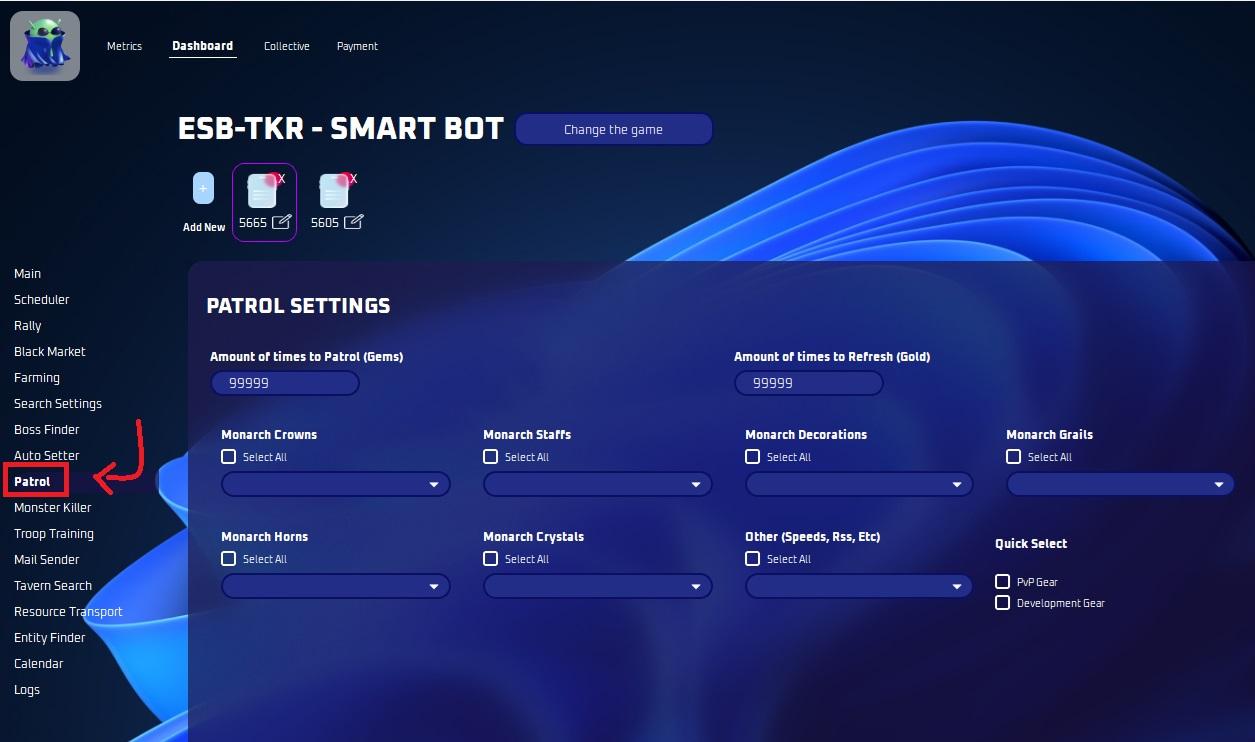
Patrol Settings:
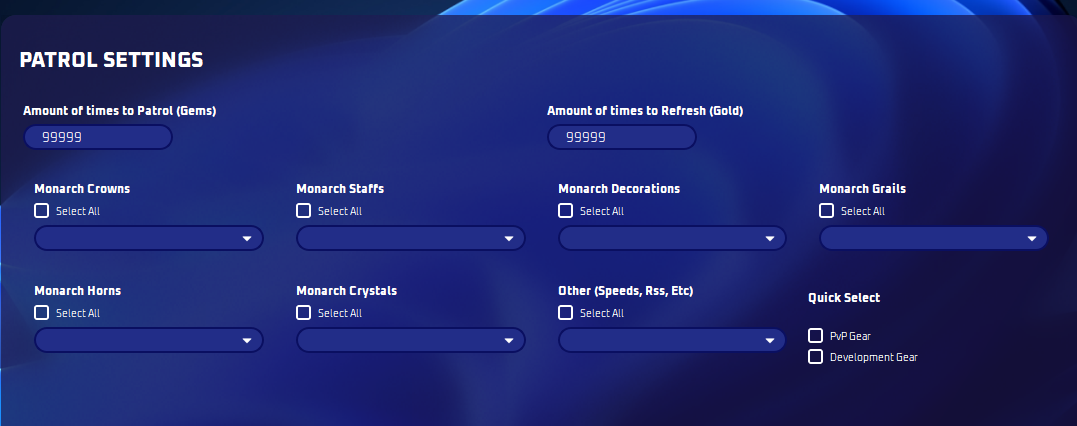
- Select customizable items or select all for your convenience. You MUST select some items!
Note
You MUST be on the Patrol menu before starting inside your keep!
Note
Reminder: Patrol is the amount of times you want to purchase. Refresh is amount of times you refresh