







Getting Started
Issue Switching or Linking Accounts
If Evony displays “Linking account failed. Please go check Settings on your device,” try the following steps: . Update Google Play Games and Google Play…
Este guia ainda não foi traduzido para Português, então é exibido em inglês.
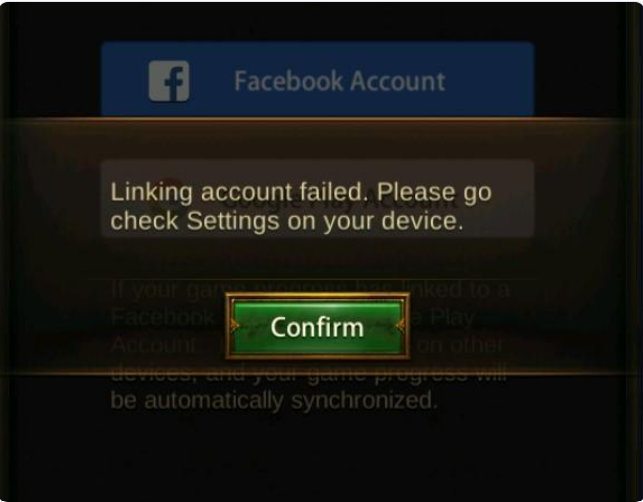 If Evony displays “Linking account failed. Please go check Settings on your device,” try the following steps:
. Update Google Play Games and Google Play Services
- Open Google Play Store, search for Google Play Games, and update it if available. Open Play Games and follow any prompts to update Google Play Services.
- Alternatively, go to System Apps → Settings → Apps → Google Play Services. Open App details in store, if available, and check for an update.
- Restart Evony and try switching or linking your account again.
Update Evony
- Open Google Play Store in your emulator.
- Search for Evony: The King’s Return.
- Click Update if available.
- Once updated, reopen Evony and try switching or linking your account again.
Change the Device Profile
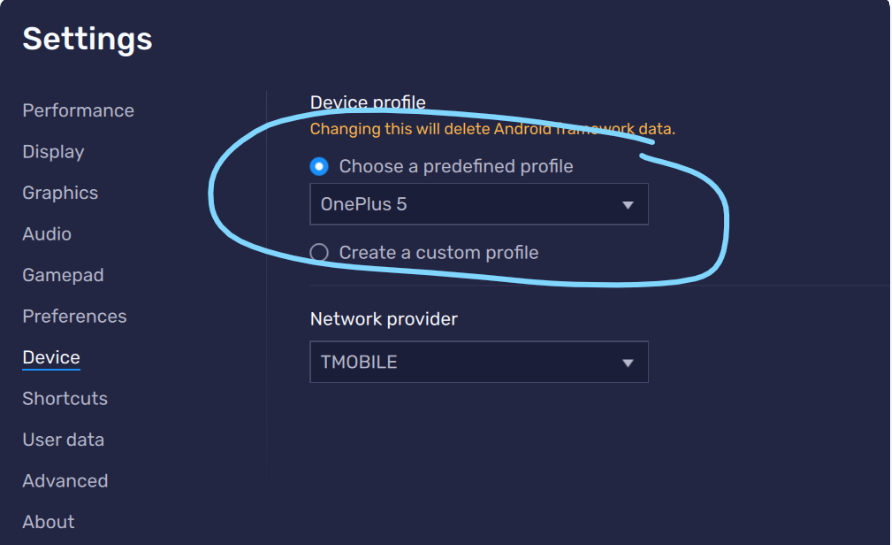 If no update is available or updating does not help:
- Open Emulator Settings → Phone (or Device, depending on your version).
- Under Predefined profile, select a different phone model.
- Save your changes and restart emulator, then try again.
Clear the Evony Cache
- On the emulator home screen, go to System Apps → Settings → Apps → Evony.
- Select Storage → Clear Cache.
- Reopen Evony and try switching or linking your account again.
Choose Clear Cache only. Do not select Clear Data or Clear Storage.
Try Switching From a Working Instance
- Switching accounts from an instance where Evony already works may resolve the issue.
- Open your instance that is already logged into a working Evony account.
- In Evony, go to Settings → Account → Switch Account.
- Switch to the account you were unable to access.
- If successful, create a new instance for the original account you switched out of.
Before switching, make sure the original account is linked and that you have access to its login details. This workaround has worked in testing, but results may vary.