


Getting Started
General Cultivation Guide
General Cultivation Guide General Cultivation automatically uses gold to cultivate a selected general in Cloud. The bot keeps a roll only when it raises…
Diese Anleitung ist noch nicht auf Deutsch übersetzt und wird deshalb auf Englisch angezeigt.
Auf dieser Seite
General Cultivation Guide
General Cultivation automatically uses gold to cultivate a selected general in Cloud. The bot keeps a roll only when it raises more attributes than it lowers.
Enable General Cultivation
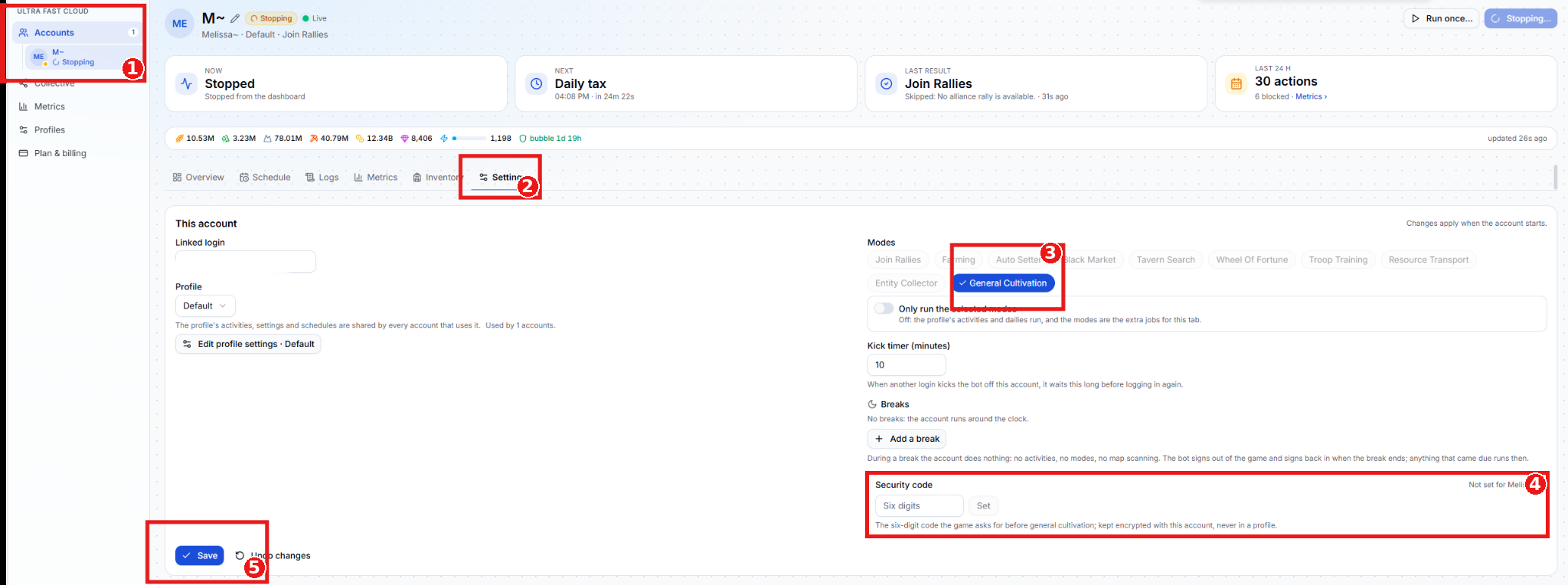
- Select the account. Choose the account you want to cultivate on under Accounts.
- Open Settings. Select the account’s Settings tab.
- Enable General Cultivation. Under Modes, select General Cultivation. A checkmark shows that it’s enabled.
- Set the security code. Enter the six-digit code Evony asks for before cultivation, then click Set. You can also set it from the Cultivation page. Cloud stores the code encrypted with the account.
- Save the account settings. Click Save.
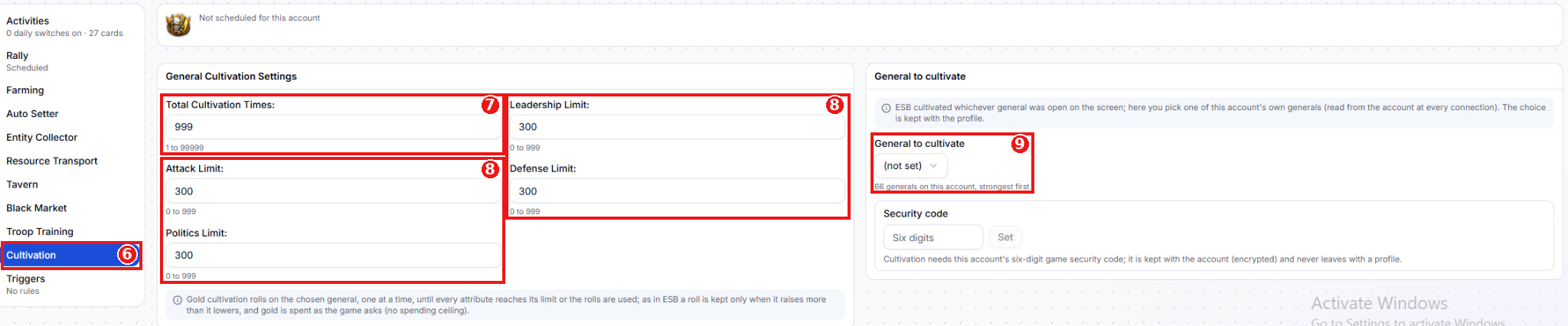
- Open Cultivation. Select Cultivation.
- Set Total Cultivation Times. Enter the maximum number of rolls to attempt (1–99,999).
- Set the attribute limits. Enter a target from 0 to 999 for each attribute: Leadership, Attack, Defense, and Politics.
- Select the general. Under General to cultivate, choose one of the account’s generals. The list shows the strongest first, and Cloud saves your selection with the profile.
Start the Cloud account after setup. If it’s already running, stop and start it again to apply the account settings. Cloud uses the general you selected in the profile, so you can start from the dashboard.
How cultivation works
Cloud rolls once at a time and stops when all four attributes reach their limits or the roll limit is used up. A roll is cancelled when it lowers at least as many attributes as it raises. Each roll spends the gold Evony asks for, even if the result is cancelled. There’s no separate gold spending limit.