


Getting Started
Troop Training Guide
Troop Training Guide Use Troop Training in ESB Cloud to train a selected troop type and tier for a set number of batches. Enable Troop Training Accounts —…
Bu rehber henüz Türkçe diline çevrilmedi, bu yüzden İngilizce gösteriliyor.
Bu sayfada
Troop Training Guide
Use Troop Training in ESB Cloud to train a selected troop type and tier for a set number of batches.
Enable Troop Training
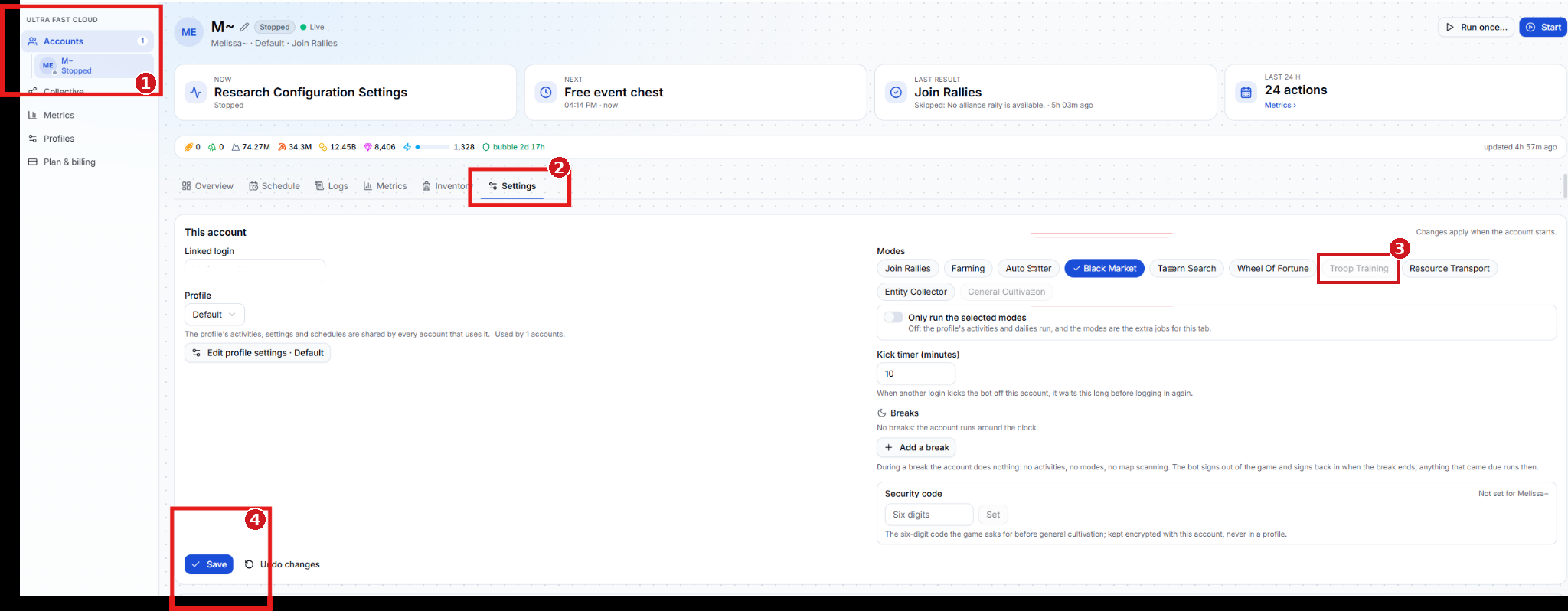
- Accounts — Select the Cloud account you want to train troops on.
- Settings — Open the account’s Settings tab.
- Troop Training — Under Modes, select Troop Training when available. The screenshot shows where to find the option, which is grayed out on the example account.
- Save — Save the account settings. Changes apply when the account starts.
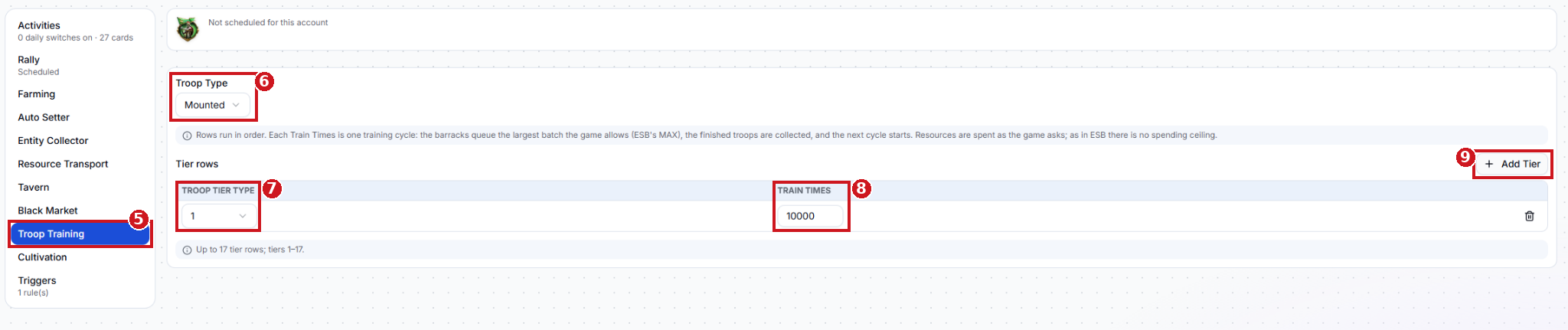
- Troop Training — click Troop Training tab.
- Troop Type — Choose the type of troops to train, such as Mounted.
- Troop Tier Type — Select the tier to train for this row. Tiers 1–15 are supported.
- Train Times — Set the number of training cycles for this tier. Each cycle queues the largest batch the game allows and collects the finished troops before starting the next cycle.
- Add Tier — Add another row to train a different tier of the selected troop type.
The numbered screenshot shows the sidebar entry. The training fields are described above.