







Getting Started
Uninstall RAV Antivirus
How to remove the RAV antivirus bundled with NOX or MEmu installs that blocks ESB-TKR and causes the Win 225 error.
Это руководство ещё не переведено на Русский, поэтому оно показано на английском.
Recently, if you installed NOX/Memu or auto updated, it came with RAV antivirus unfortunately. It was blocking our software. It's easy to uninstall.
Search “Control Panel” on your computer
Click “Uninstall a program”
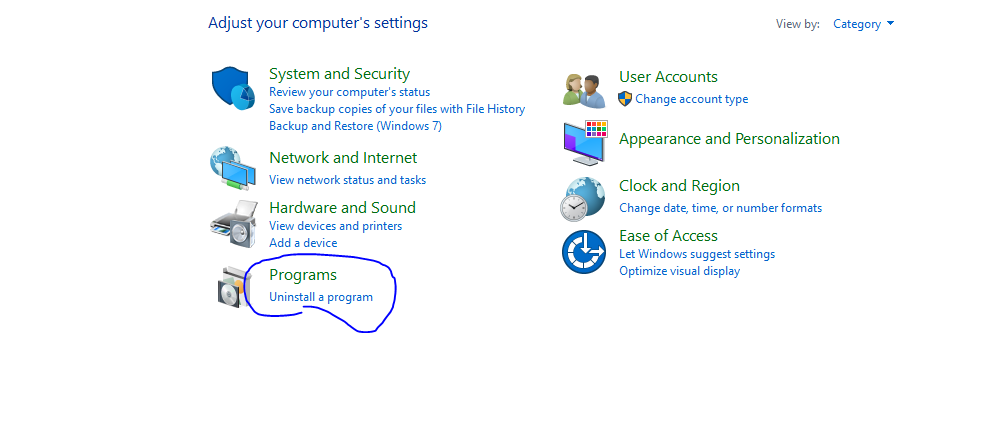
Scroll down and look for three products by RAV:
- Two starting with RAV
- One starting as Web Safe.
Uninstall all, and you should be good!
For more information about RAV antivirus please visit this link: https://windowsreport.com/rav-antivirus-automatically-installed/