




Getting Started
Account Data Guide
Allows ESB to read your account information and display it on your website account page. Go to Profile tab then Account Data: 1. Read My Account Data…
이 가이드는 아직 한국어로 번역되지 않아 영어로 표시돼요.
Allows ESB to read your account information and display it on your website account page.
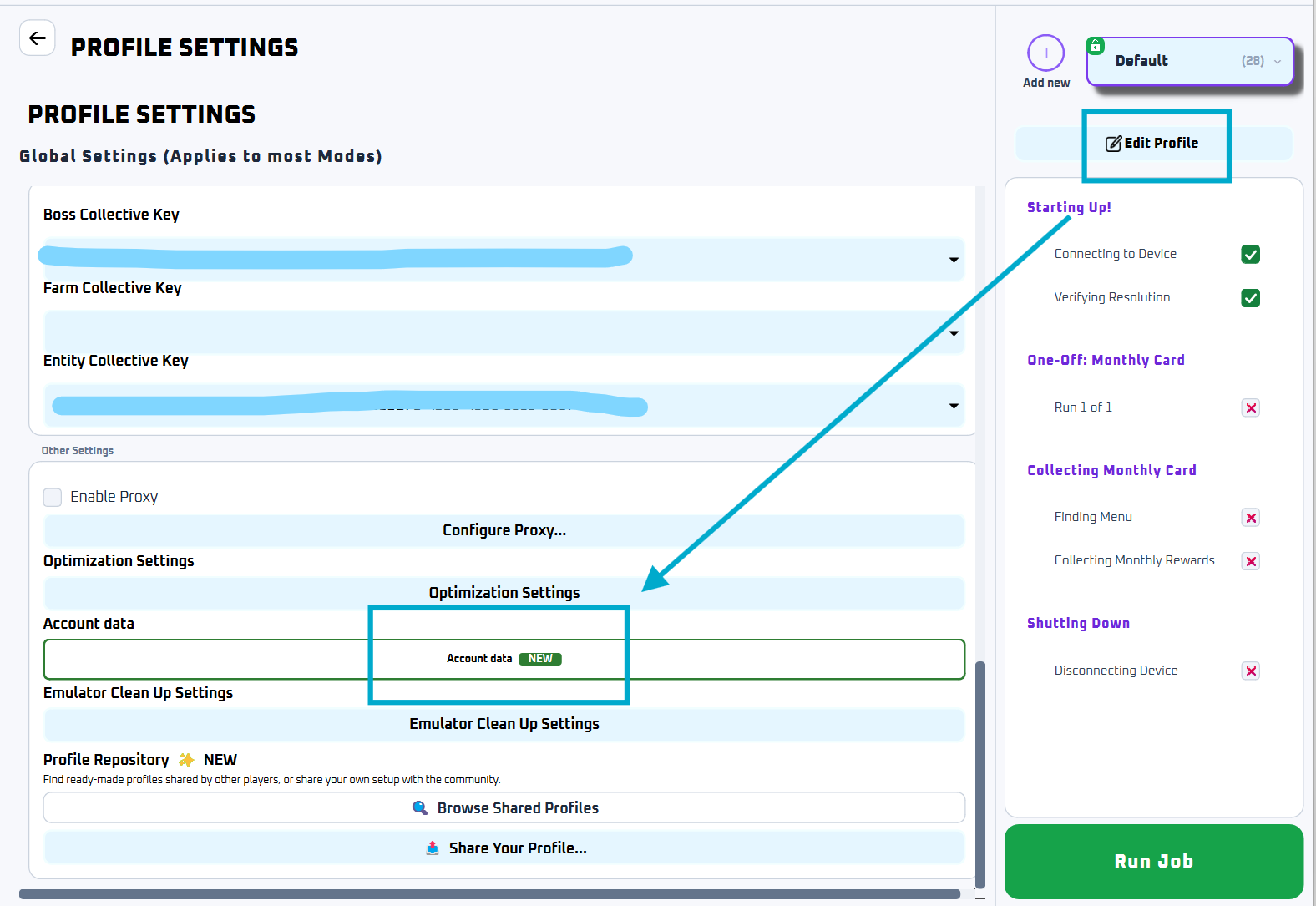
Go to Profile tab then Account Data:
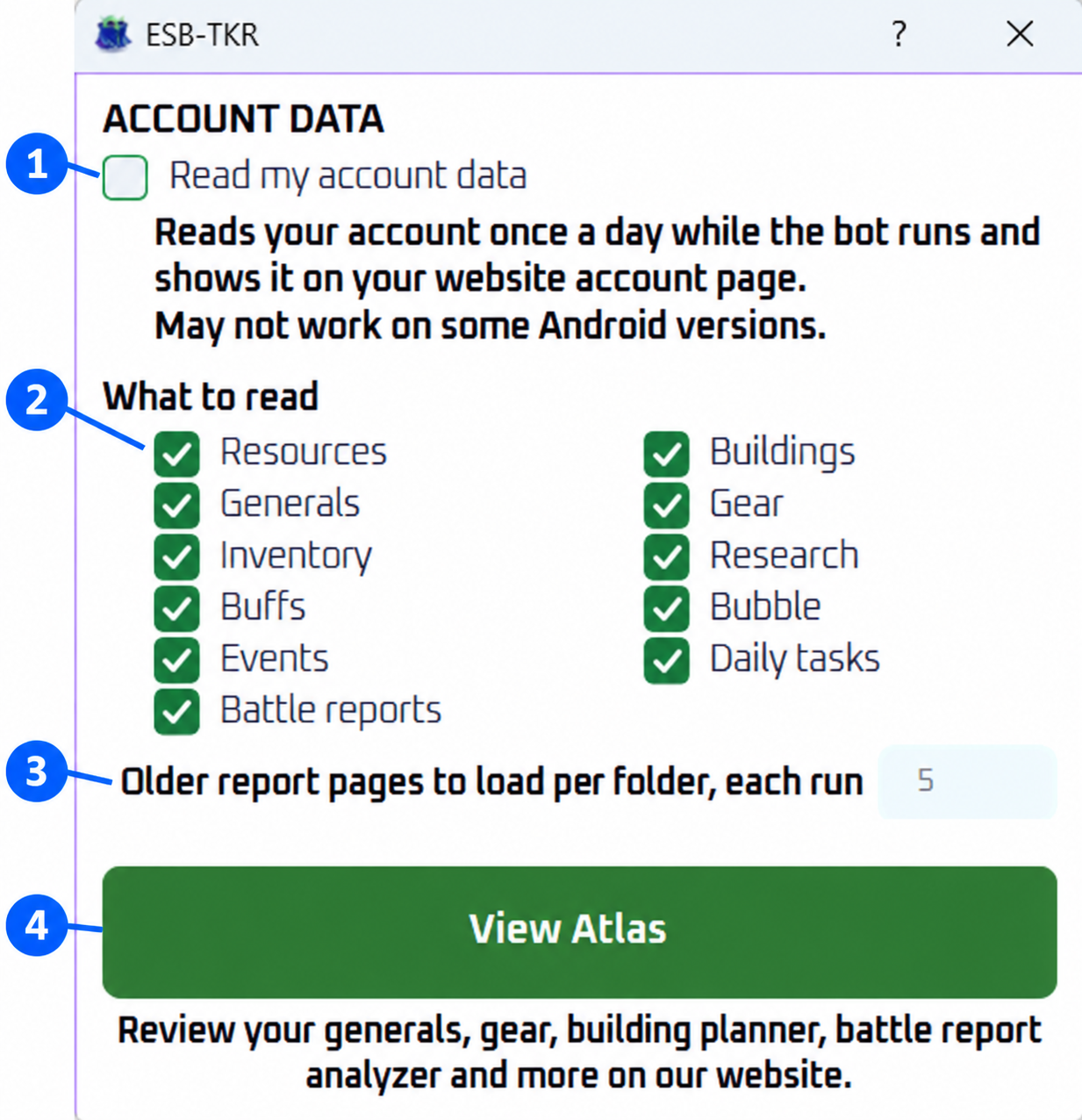
1. Read My Account Data Enable this and ESB reads your account once a day while the bot runs.
2. What to Read Select which information to collect: resources, generals, inventory, buffs, events, battle reports, buildings, gear, research, bubble, and daily tasks.
3. Older Report Pages to Load per Folder, Each Run Sets how many pages of older battle reports ESB loads from each folder during each run. The image shows 5 pages.
4. View Atlas Opens Evony Atlas, where you can review account data, generals, and gear; use the building planner and battle report analyzer; view recommended gear sets; and download available CSV data.
Storage: Non-dashboard users can store their last 10 reports and 10 generals. Inventory and other information remain supported. Requirements: Android 9 or newer. Compatibility may vary. If it causes issues, disable Read My Account Data under Profile > Account Data.