Getting Started
Disable Play Store Auto-update
Turn off automatic app updates in the Google Play Store so Evony updates do not break the bot.
本指南尚未翻译为中文 (简体),因此以英文显示。
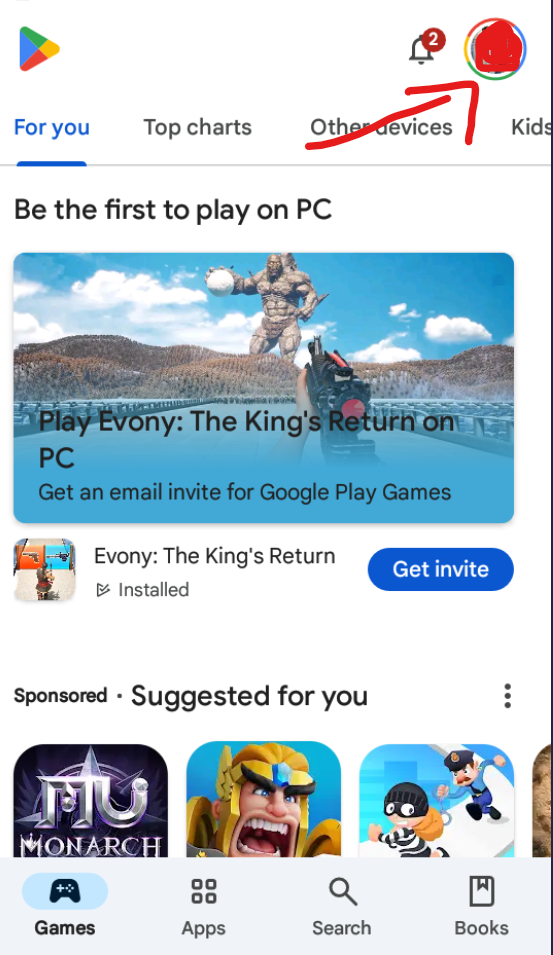
Open the Google Play Store on the device, and then click the Google Profile icon.
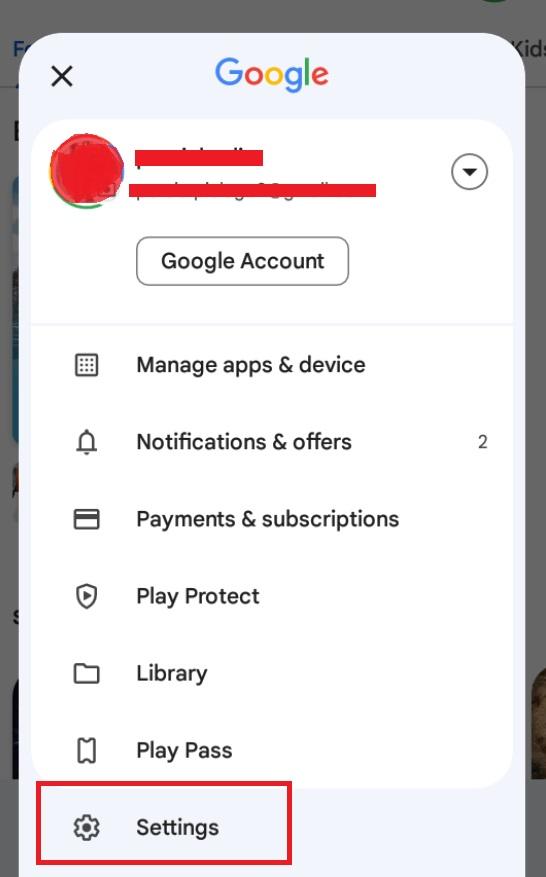
Scroll down to find the "Settings" option and click on it.
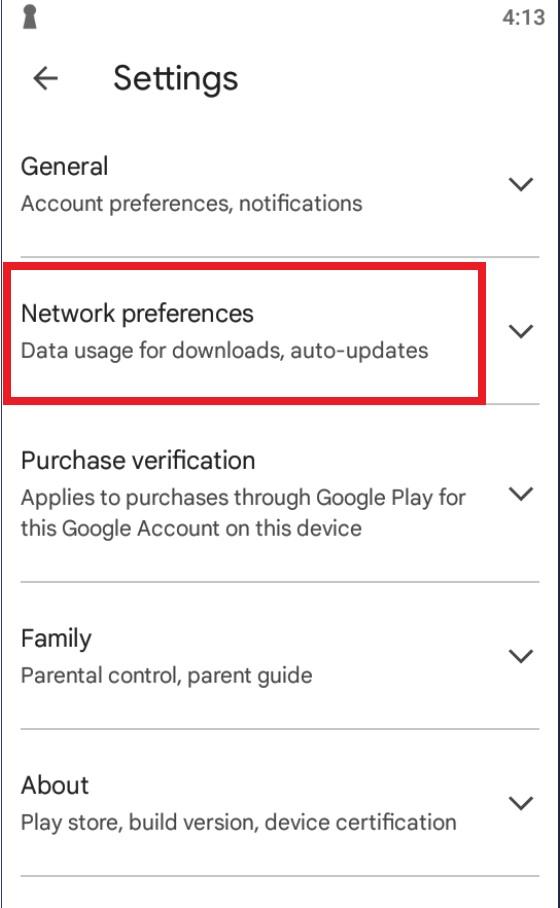
You will see the "Network Preferences" tab in the settings list. Click it.
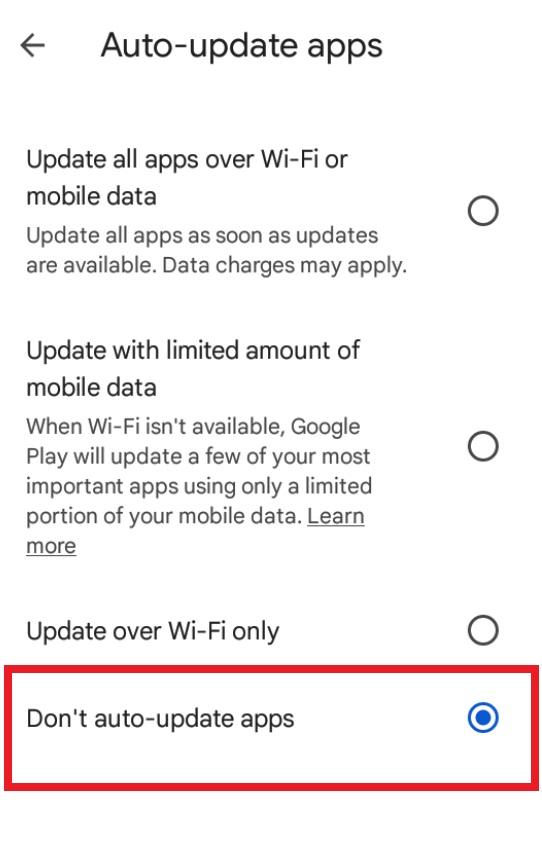
Click Auto-update Apps, and pick do not update.