


Getting Started
Troop Training Guide
Troop Training Guide Use Troop Training in ESB Cloud to train a selected troop type and tier for a set number of batches. Enable Troop Training Accounts —…
本指南尚未翻译为中文 (简体),因此以英文显示。
本页目录
Troop Training Guide
Use Troop Training in ESB Cloud to train a selected troop type and tier for a set number of batches.
Enable Troop Training
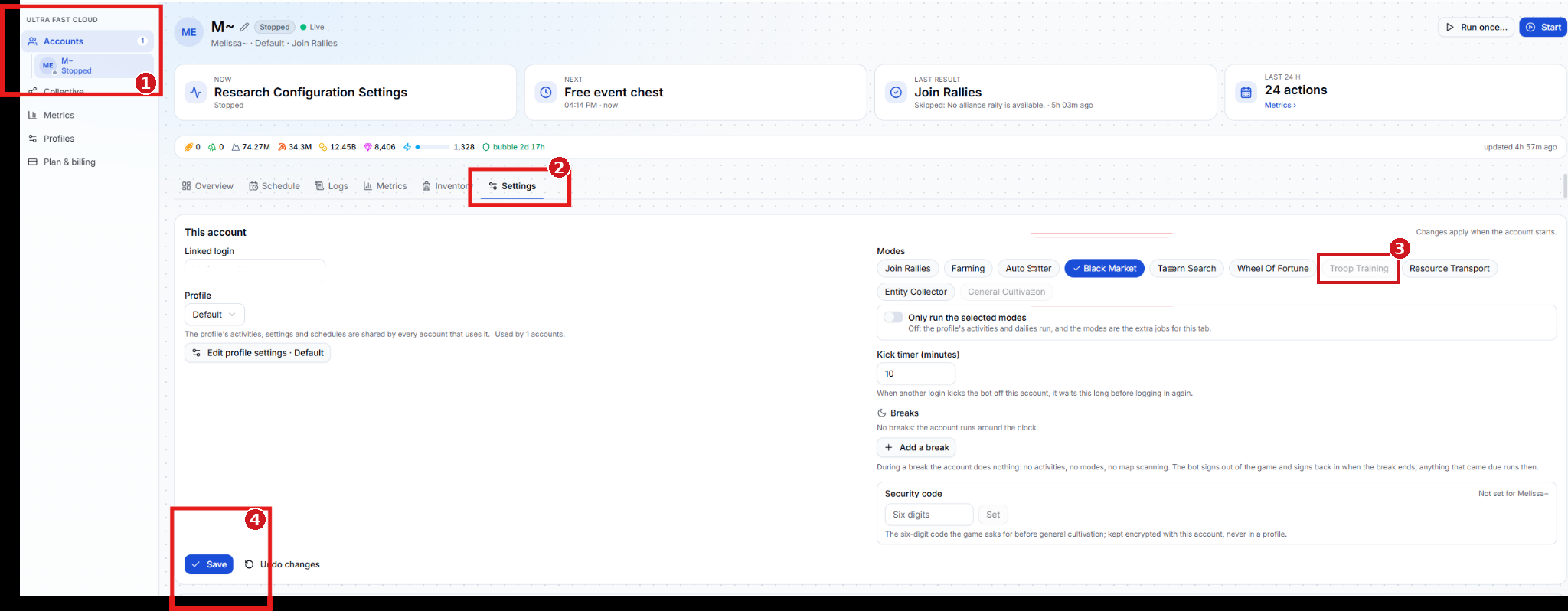
- Accounts — Select the Cloud account you want to train troops on.
- Settings — Open the account’s Settings tab.
- Troop Training — Under Modes, select Troop Training when available. The screenshot shows where to find the option, which is grayed out on the example account.
- Save — Save the account settings. Changes apply when the account starts.
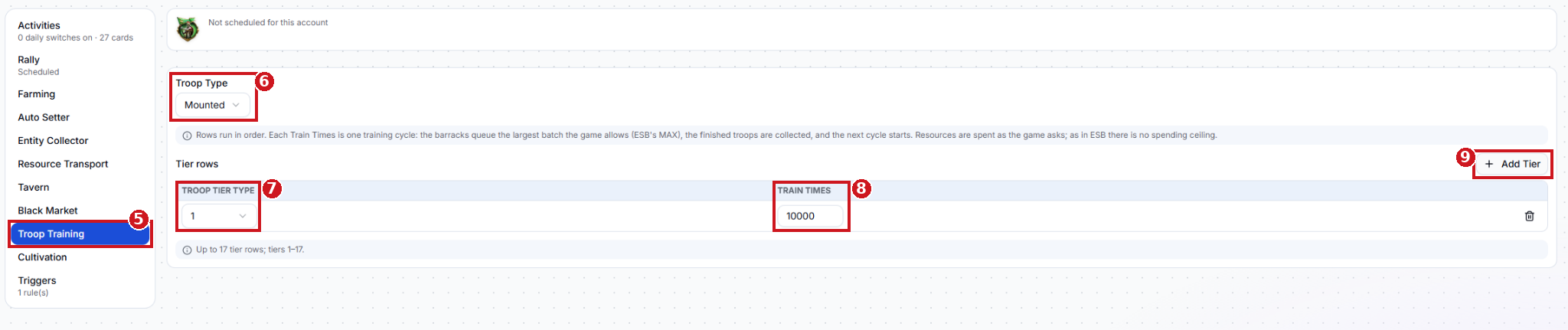
- Troop Training — click Troop Training tab.
- Troop Type — Choose the type of troops to train, such as Mounted.
- Troop Tier Type — Select the tier to train for this row. Tiers 1–15 are supported.
- Train Times — Set the number of training cycles for this tier. Each cycle queues the largest batch the game allows and collects the finished troops before starting the next cycle.
- Add Tier — Add another row to train a different tier of the selected troop type.
The numbered screenshot shows the sidebar entry. The training fields are described above.