


Getting Started
Tavern Search Guide
Tavern Search Guide Use Tavern Search to refresh the Tavern and recruit the generals you choose. Enable Tavern Search Click Accounts and select the account…
Esta guía aún no está traducida al Español, así que se muestra en inglés.
En esta página
Tavern Search Guide
Use Tavern Search to refresh the Tavern and recruit the generals you choose.
Enable Tavern Search
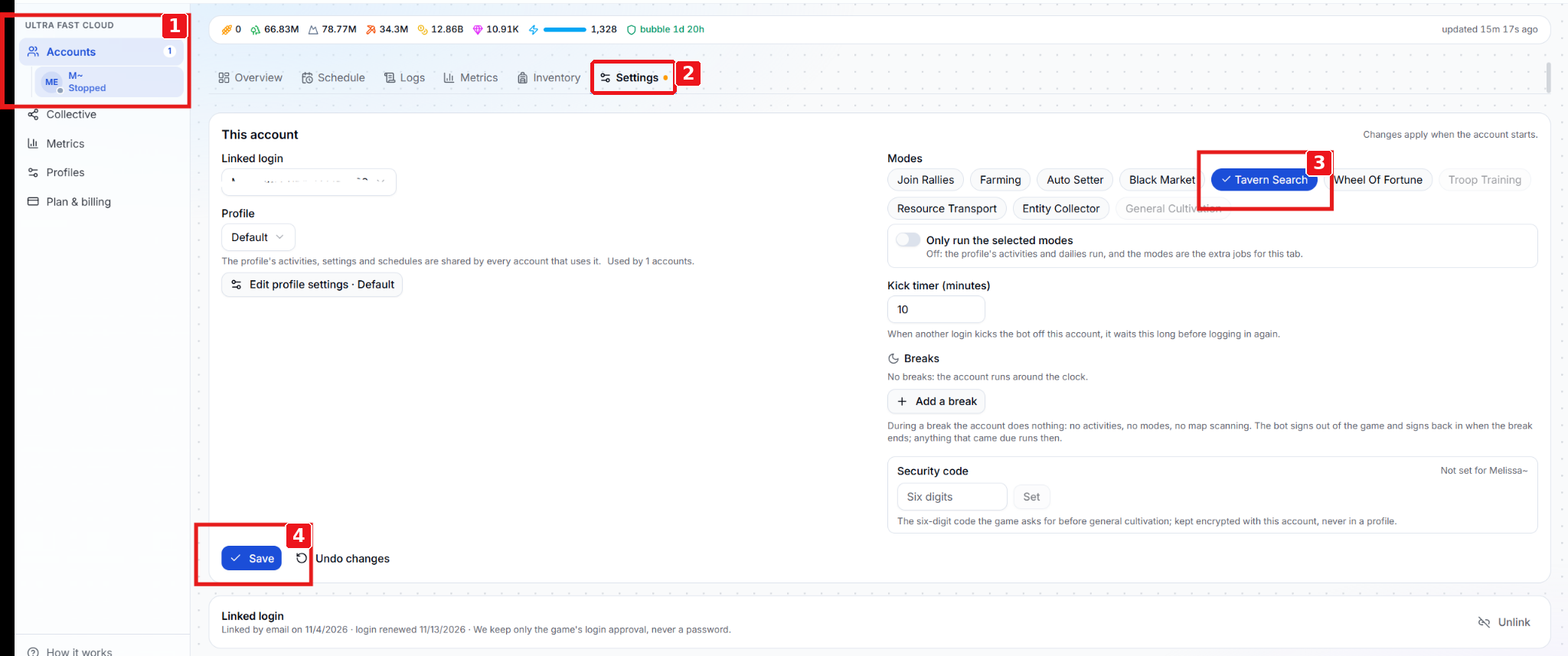
- Click Accounts and select the account that will recruit the generals.
- Open the account’s Settings tab.
- Under Modes, select Tavern Search.
- Click Save. Changes to the account’s modes apply when the account starts.
## Configure the search
Scroll down on the same Settings page to the section shown below.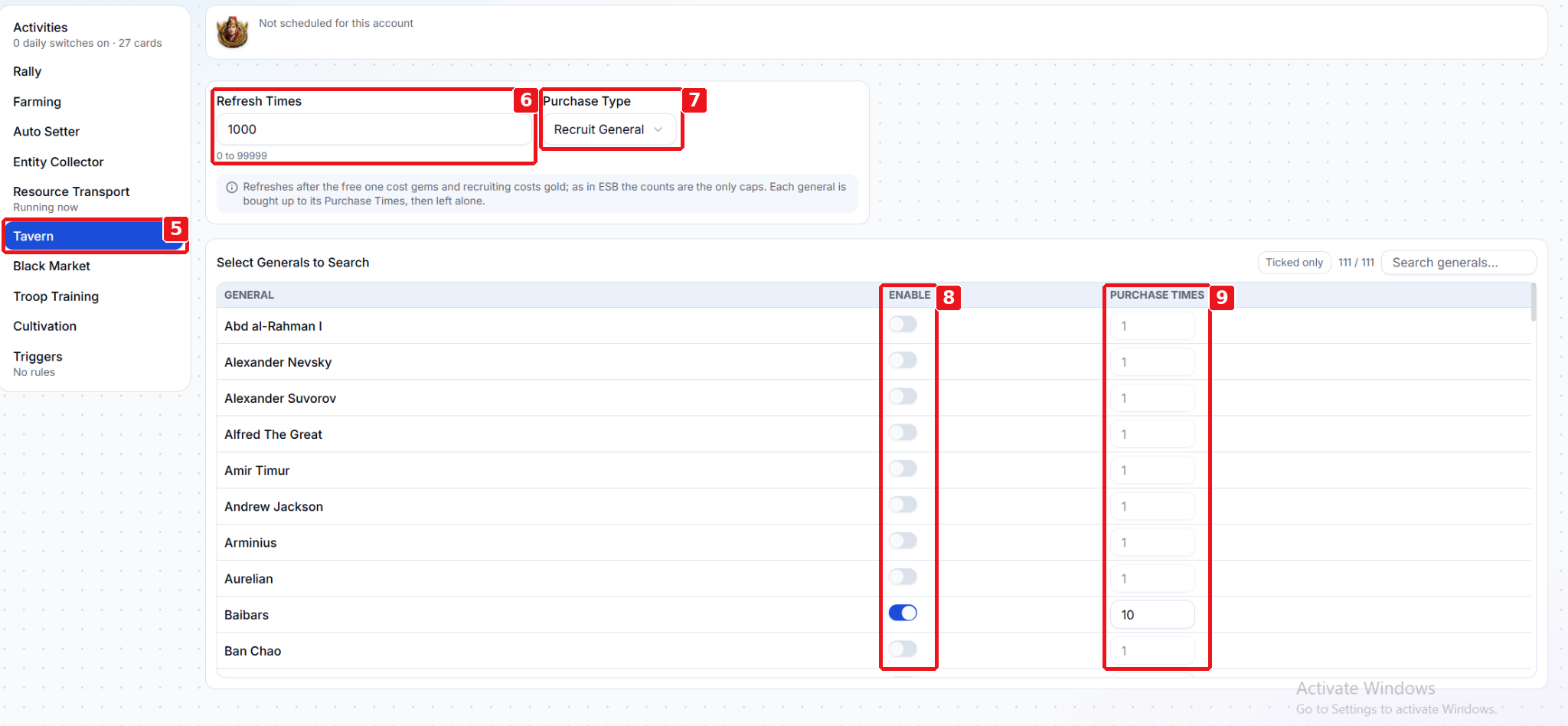
- Click Tavern in the settings menu.
- Under Refresh Times, set how many times the bot can refresh the Tavern while looking for your selected generals. Refreshes after the free one cost gems.
- Under Purchase Type, select Recruit General to recruit matching generals. Recruiting costs gold.
- Under Select Generals to Search, turn on Enable for each general you want.
- Set Purchase Times for each enabled general. The bot stops recruiting that general when it reaches the general’s Purchase Times limit or the search’s Refresh Times limit, whichever comes first.
Start the account when you’re ready to run Tavern Search.